Product Paperwork

PDF tools that run in your browser — edit, convert, compress, sign and organize without uploading a file.
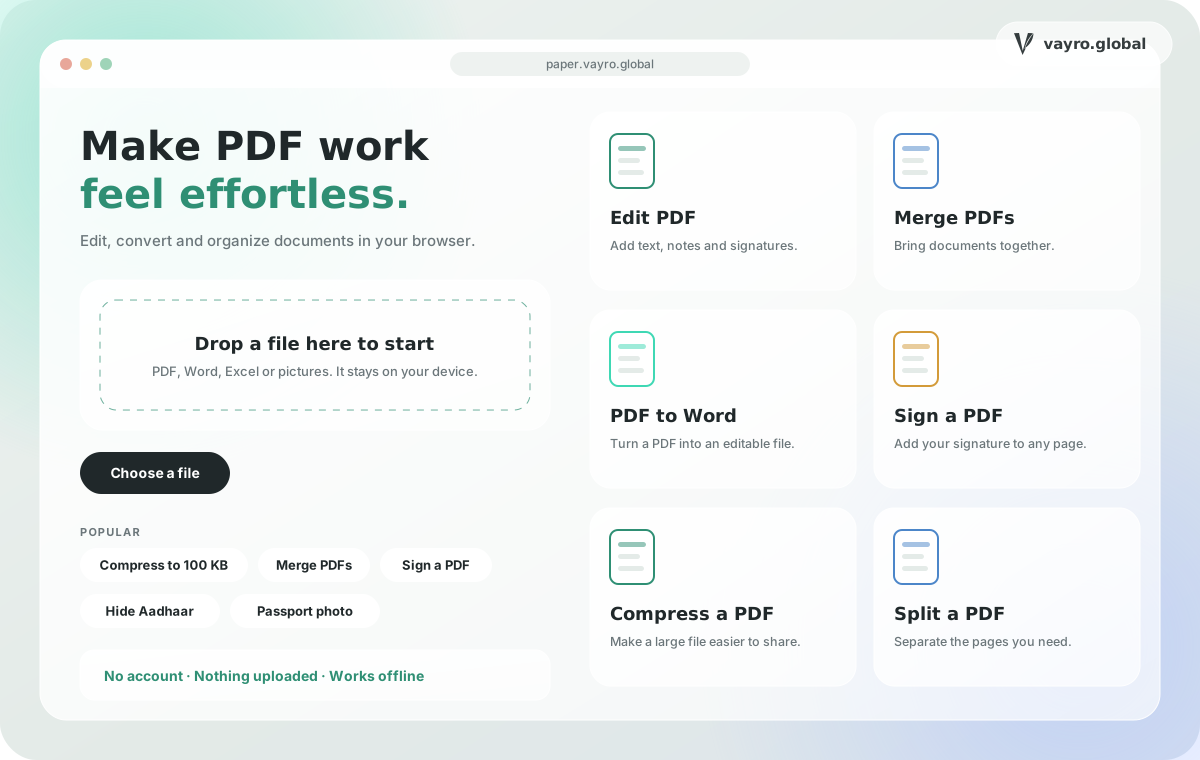
Paperwork home screen with a file drop zone, popular tasks and a grid of PDF tools

What it is

Paperwork is a toolkit of everyday PDF and document tools that runs entirely in your browser. You can edit, merge, split, convert, compress, sign, redact and scan documents without creating an account, and your files stay on your device rather than being uploaded to a server. It is free to use, works offline after your first visit, and covers jobs common in India, such as exact photo and file sizes for exam forms and hiding Aadhaar or PAN numbers before sharing a document.

Built for

  • Students who need to merge assignments, scan notebook pages or turn a PDF into an editable document.
  • Job and exam applicants who must meet strict photo, signature and file-size limits on application forms.
  • Offices and businesses that edit, sign, watermark and convert reports, invoices and approvals.
  • Lawyers, teachers and families who need page numbering, redaction, splitting and compression without installing software.
Toolkit

Everyday PDF work, well organized

Edit & annotate

Change text directly on the page, fill forms, add notes, shapes, images and signatures, and stamp watermarks, page numbers and headers.

  • Edit PDF text like a document
  • Sign, fill forms and annotate
  • Watermarks, page numbers, header and footer

Organize pages

See every page at once, then reorder, rotate, copy, delete, crop, extract or split — or merge several files into one.

  • Merge, split and extract pages
  • Drag to reorder, rotate and delete
  • Crop pages and edit bookmarks

Convert files

Move between PDF and Word, Excel, PowerPoint and images, or photograph paper pages and save them as one clean PDF.

  • PDF to and from Word and Excel
  • Images and scans to PDF
  • PDF to JPG, PowerPoint and extracted images

Compress & secure

Get a file under a size limit such as 100 KB, resize photos and signatures to exact pixels and KB, and black out sensitive text so it is removed, not just covered.

  • Compress to a size you choose
  • Resize photo or signature for forms
  • Redact Aadhaar, PAN and phone numbers

Scanned pages (OCR)

Make scanned pages searchable and copy text out of scans, in 11 languages, with Hindi typing from Roman letters in the editors.

  • Recognize text in 11 languages
  • Type Hindi in Roman letters
  • Runs on your device

Review & print

Compare two versions of a PDF to see every added and removed word, and lay out pages for printing as several per sheet or a booklet.
  • Compare PDFs word by word
  • N-up and booklet print layouts
  • Download a report of the changes
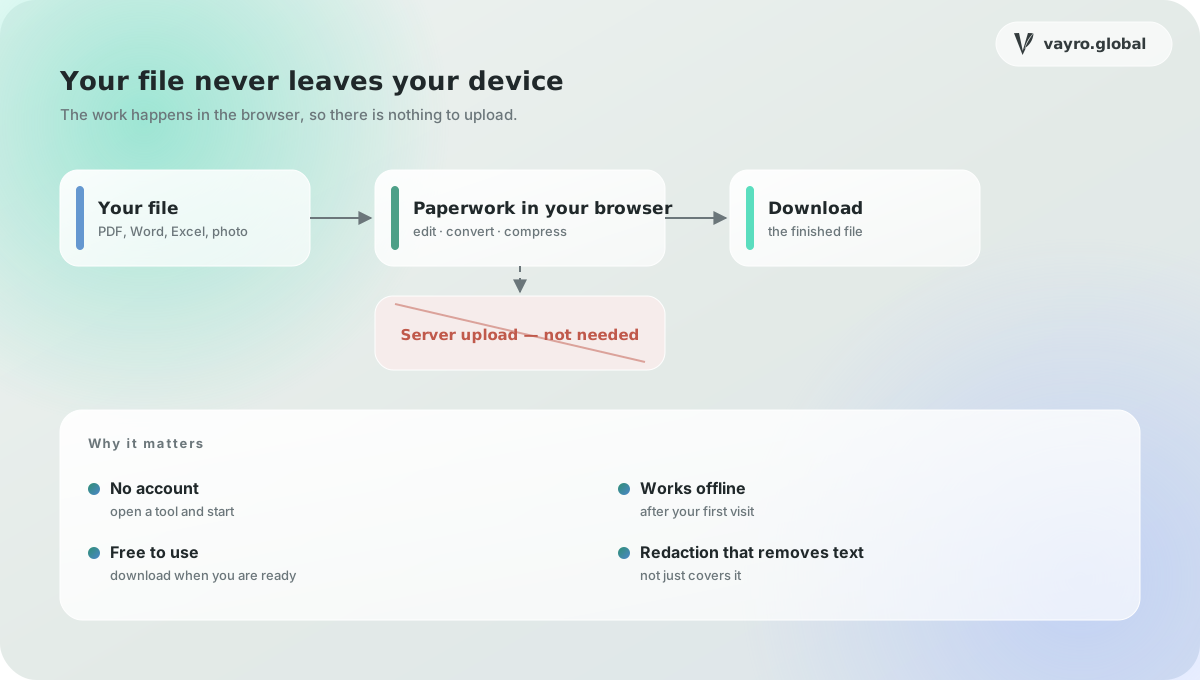
Paperwork keeps files on the device: file, browser tools and download, with no server upload
Files are processed in the browser on your own device — nothing is uploaded to a server.
Why Paperwork

What makes it different

Your files stay on your device

Work happens in the browser, so there is nothing to upload, store or leak. No account or sign-up is needed.

Works without internet

After your first visit the app saves itself, and the larger parts such as scan languages and fonts can be saved for offline use.

Built for Indian forms

Exact photo and KB sizes for exam and job forms, Aadhaar and PAN hiding, Hindi typing and reading of scans in 11 languages.

Picks up where you left off

Unsaved PDF edits are kept in your browser for 7 days, and recent files can be reopened if you choose to keep them.

Questions

Paperwork: common questions

Is Paperwork free?

Yes. Paperwork is free to use and does not ask you to create an account.

Do you upload my files?

No. Files are processed on your device in the browser, so they are not sent to a server.

Does it work offline?

Yes. Open a tool once while you are online and the app keeps working without internet. Larger parts, such as scan languages, can be saved ahead of time.

Is there a limit on file size?

Each file can be up to 100 MB, and you can add up to 50 files at once.

Can I change the text in a PDF?

Yes. The editor lets you click a paragraph and type, with bold, size and colour controls, or you can edit a Word document directly.

Can I make a file fit a form's size limit?

Yes. Compress a PDF to a size you choose, such as under 100 KB, or resize a photo or signature to exact pixels and KB.
06 / Let’s build

Bring us the difficult problem.

01

New projects

A paragraph about the problem is enough to start. We reply within two working days, usually with questions rather than a quote.

support@vayro.global
02

Careers

Engineers, designers and researchers who like systems that are hard to get right. Send something you built and what you would change about it now.

support@vayro.global
03

Studio

Based in India and working remotely, with overlap hours agreed up front so your team always has a time to reach us.

IST · GMT · ET overlap
04

Read

Guides on AI agents, RAG, MCP, tokenization and chain abstraction, written by the engineers who build them.

vayro.global/insights