01
New projects
A paragraph about the problem is enough to start. We reply within two working days, usually with questions rather than a quote.
Product design by people who sit with the engineers: user flows, clickable prototypes, a design system in code, and accessibility checked as it is built.
UI/UX design decides whether people can use what gets built. We design web and mobile products — research, user flows, interface design and a design system — inside the same team that builds them, so designs are tested with users before code is written and delivered as components rather than pictures.
Conversations with real users, the current journey mapped with its drop-off points, and the new one drawn before any screen.
Prototypes of the main journeys, tested with users, so the expensive changes happen before the build.
Screens for the sizes people actually use, with empty, loading and error states designed rather than left to chance.
Colour, type, spacing and components defined as tokens and built as a component library the engineers use directly.
Contrast, keyboard use, screen-reader labels and reduced motion checked against WCAG 2.1 AA in design and again in the build.
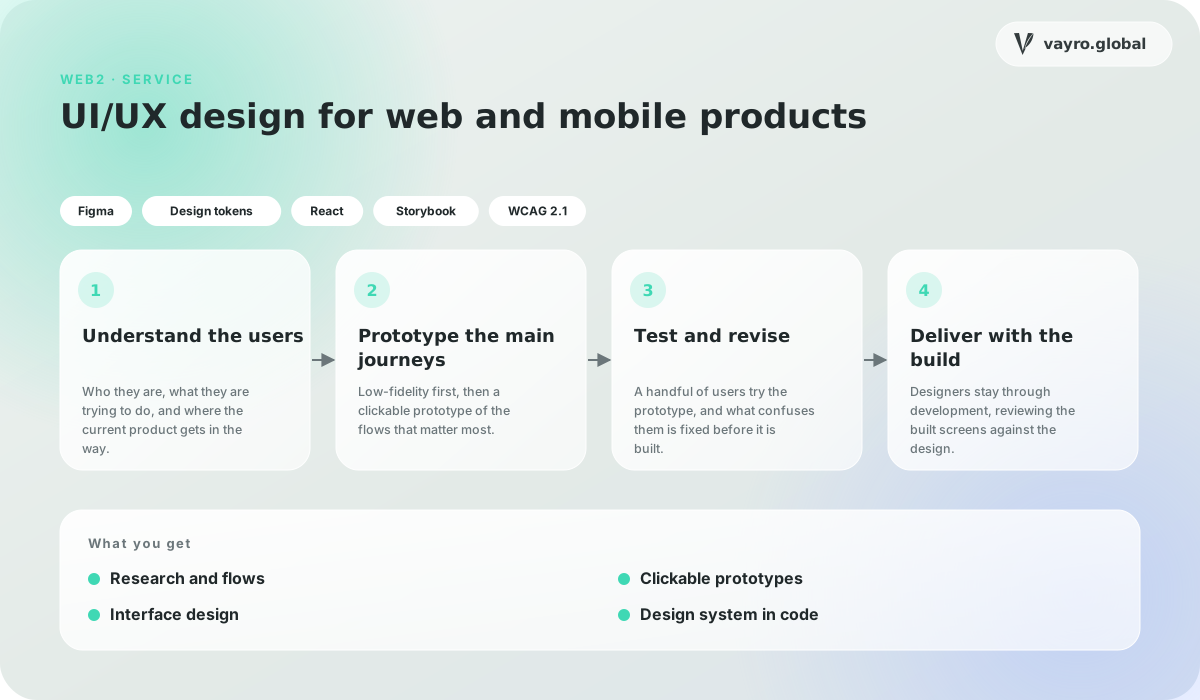
Who they are, what they are trying to do, and where the current product gets in the way.
Low-fidelity first, then a clickable prototype of the flows that matter most.
A handful of users try the prototype, and what confuses them is fixed before it is built.
Designers stay through development, reviewing the built screens against the design.
A paragraph about the problem is enough to start. We reply within two working days, usually with questions rather than a quote.
Engineers, designers and researchers who like systems that are hard to get right. Send something you built and what you would change about it now.
Based in India and working remotely, with overlap hours agreed up front so your team always has a time to reach us.
Guides on AI agents, RAG, MCP, tokenization and chain abstraction, written by the engineers who build them.